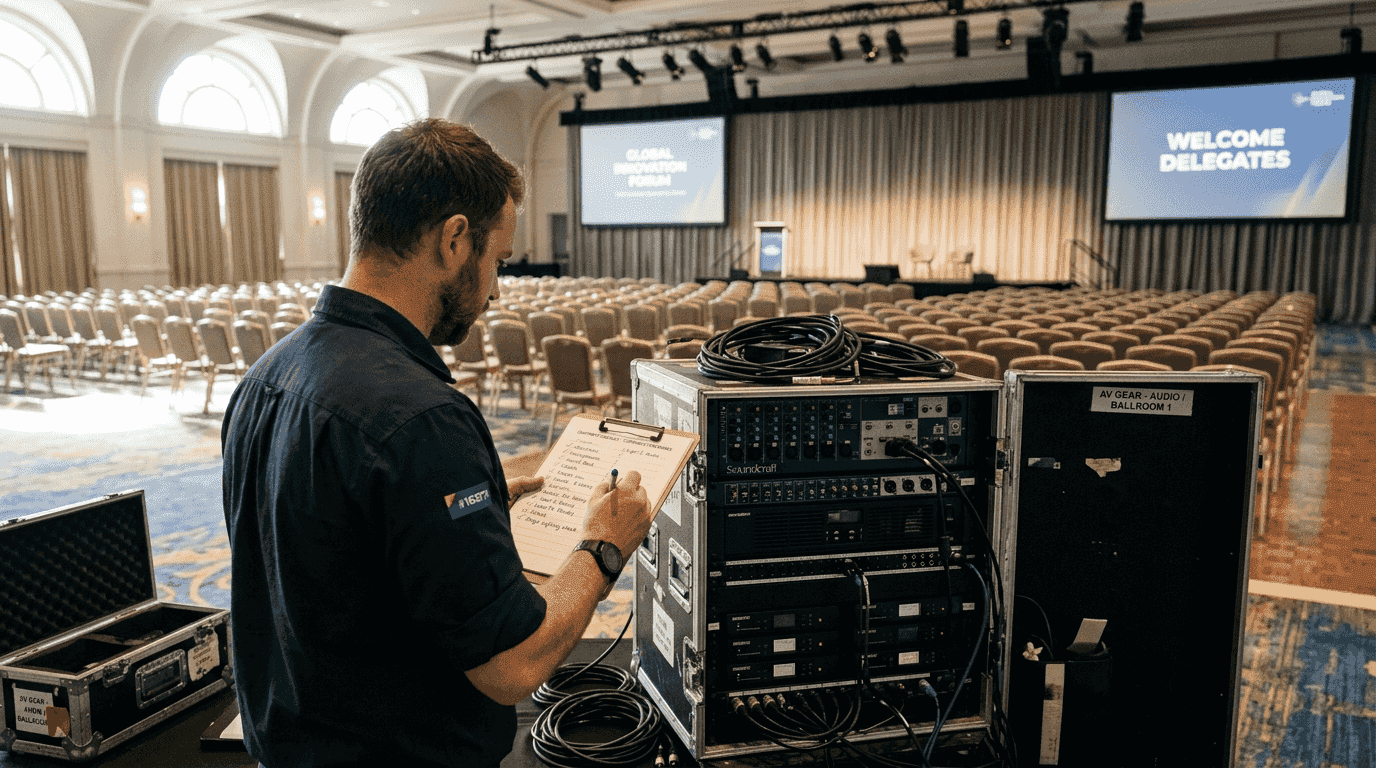
Managing audio visual systems for corporate events presents complex challenges that can derail even the most carefully planned conferences. Without proper coordination, technical issues emerge during critical moments, disrupting presentations and damaging your event's professional image. This guide walks you through a proven, step-by-step approach to mastering the AV event management process, from initial assessment through flawless execution. You'll learn expert strategies for system integration, risk mitigation, and real-time management that ensure your corporate events run smoothly and deliver exceptional attendee experiences.
Table of Contents
- Understanding your event's AV requirements
- Planning and integrating AV systems effectively
- Risk management and troubleshooting strategies
- Delivering flawless AV event execution
- Expert AV management services for your next event
Key takeaways
| Point | Details |
|---|---|
| Thorough planning prevents failures | Detailed pre-event assessment of technical specifications, venue conditions, and audience needs establishes the foundation for AV success |
| System integration reduces issues | Properly integrated audio, video, and lighting systems experience fewer technical problems and operate more efficiently |
| Risk management minimises downtime | Comprehensive contingency planning with backup equipment and on-site technicians prevents disruptions |
| Real-time monitoring ensures quality | Continuous performance monitoring and clear team communication enable quick adaptation to challenges |
Understanding your event's AV requirements
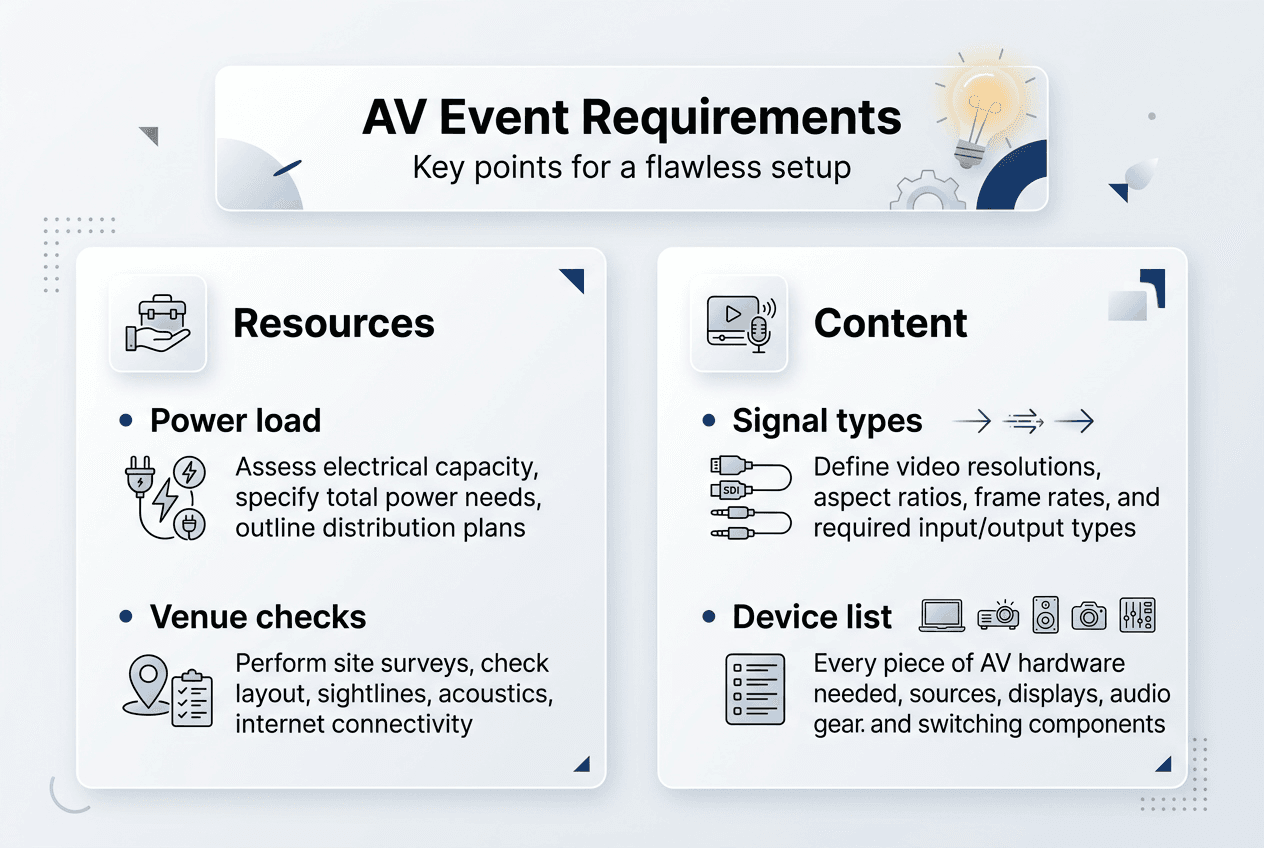
Successful AV event management begins with comprehensive assessment of your specific requirements. You need to evaluate technical specifications, venue characteristics, and audience considerations before selecting equipment or designing system architecture. This foundation prevents costly surprises and ensures your AV setup matches event objectives.
Start by documenting power requirements for all equipment. Calculate total wattage needed and verify venue capacity supports your demands. Identify available power sources and plan distribution to avoid overloading circuits. Check rigging points for suspended speakers, projectors, or lighting fixtures, ensuring structural integrity meets safety standards.
Venue acoustics significantly impact audio quality. Walk the space during your site visit, noting hard surfaces that create echoes, ceiling height affecting sound dispersion, and ambient noise from HVAC systems or adjacent spaces. Assess sightlines from various seating positions to screens and stages, identifying potential obstructions. Consider audience size when specifying speaker coverage patterns and screen dimensions, ensuring everyone experiences clear audio and visuals.
Document content delivery requirements in detail. Will presenters use laptops, tablets, or mobile devices? What video formats and resolutions will they provide? Do you need live streaming capabilities or recording equipment? Understanding these specifications prevents compatibility issues during setup. A survey of 100 corporate event planners found 85% cited detailed pre-event planning as key to AV success, highlighting how thorough assessment directly correlates with positive outcomes.
Create a technical specification document listing every component and its requirements. Include signal types, connection standards, and control protocols. This documentation guides equipment selection and helps identify potential integration challenges early. When you understand how AV equipment functions and connects, you make informed decisions that prevent technical conflicts.
Pro Tip: Schedule your venue assessment at the same time of day as your event to experience actual lighting conditions and ambient noise levels that will affect your AV setup.
Consider these essential assessment elements:
- Power distribution and backup requirements
- Structural load capacity for rigging equipment
- Network bandwidth for streaming or video conferencing
- Presenter input compatibility across devices
- Accessibility requirements for attendees with disabilities
Planning and integrating AV systems effectively
System integration transforms individual components into a cohesive, reliable AV environment. Proper integration maintains signal integrity, simplifies operation, and reduces technical failures. You must follow logical sequences when connecting audio, video, and lighting systems to ensure compatibility and performance.
Begin with signal flow mapping. Trace each audio and video signal from source through processing to output. This visualisation identifies potential bottlenecks, conversion points, and control requirements. For audio, map microphone signals through mixers, processors, and amplifiers to speakers. For video, track sources through switchers, scalers, and distribution amplifiers to displays. Understanding signal paths helps you troubleshoot issues quickly during events.
Centralised control systems dramatically improve operational efficiency. Modern control platforms allow operators to manage audio levels, video routing, lighting scenes, and environmental controls from a single interface. This integration reduces complexity and enables faster responses to changing requirements. Events using integrated AV systems experience 20% fewer technical issues and 15% better operational efficiency, demonstrating the tangible benefits of proper integration.
Digital audio networking protocols like Dante and AVB simplify complex audio distribution. These systems transmit multiple audio channels over standard network infrastructure, eliminating bulky analogue cable runs and reducing setup time. Verify all audio equipment supports your chosen protocol and configure network switches appropriately to prevent dropouts. Similarly, standardise video formats throughout your system, using HDMI for shorter runs and SDI for longer distances requiring professional reliability.
Lighting control integration enhances event atmosphere and supports presentations. DMX512 protocol connects lighting consoles to fixtures, enabling precise control of intensity, colour, and movement. Programme lighting scenes that complement different event segments, from energetic openings to focused presentation modes. Integrate lighting cues with video content for cohesive visual experiences.
Follow this integration sequence for optimal results:
- Establish power distribution and grounding systems
- Install and configure network infrastructure for digital audio and control
- Connect audio sources through mixing and processing equipment
- Route video signals through switching and distribution systems
- Integrate lighting fixtures with control protocols
- Configure centralised control system linking all components
- Test signal flow and verify proper operation
Pro Tip: Create detailed system diagrams showing all connections, signal types, and control relationships. These diagrams become invaluable troubleshooting tools when issues arise during events.
Different types of audio visual setups require specific integration approaches. Simple presentation setups need basic connectivity, whilst complex multi-room conferences demand sophisticated routing and control. Match your integration complexity to event requirements without over-engineering solutions. Partner with expert audio visual providers who understand how to balance capability with practical operation.
| System Component | Integration Consideration | Common Protocol |
|---|---|---|
| Digital Audio | Network bandwidth and latency | Dante, AVB |
| Video Distribution | Signal format and resolution | HDMI, SDI |
| Lighting Control | Fixture addressing and scenes | DMX512 |
| Control Systems | User interface and automation | Crestron, AMX |
Risk management and troubleshooting strategies
Even perfectly planned AV systems face unexpected challenges. Proactive risk management minimises disruptions and ensures quick recovery when issues occur. You need comprehensive contingency plans, backup equipment, and skilled technical support ready to respond.
Equipment redundancy provides insurance against failures. Deploy backup projectors, spare microphones, and duplicate playback devices for critical presentations. Keep backup cables, adaptors, and power supplies readily accessible. For essential events, consider redundant audio mixers and video switchers that can take over instantly if primary systems fail. Whilst redundancy increases costs, it prevents catastrophic failures that damage your organisation's reputation.
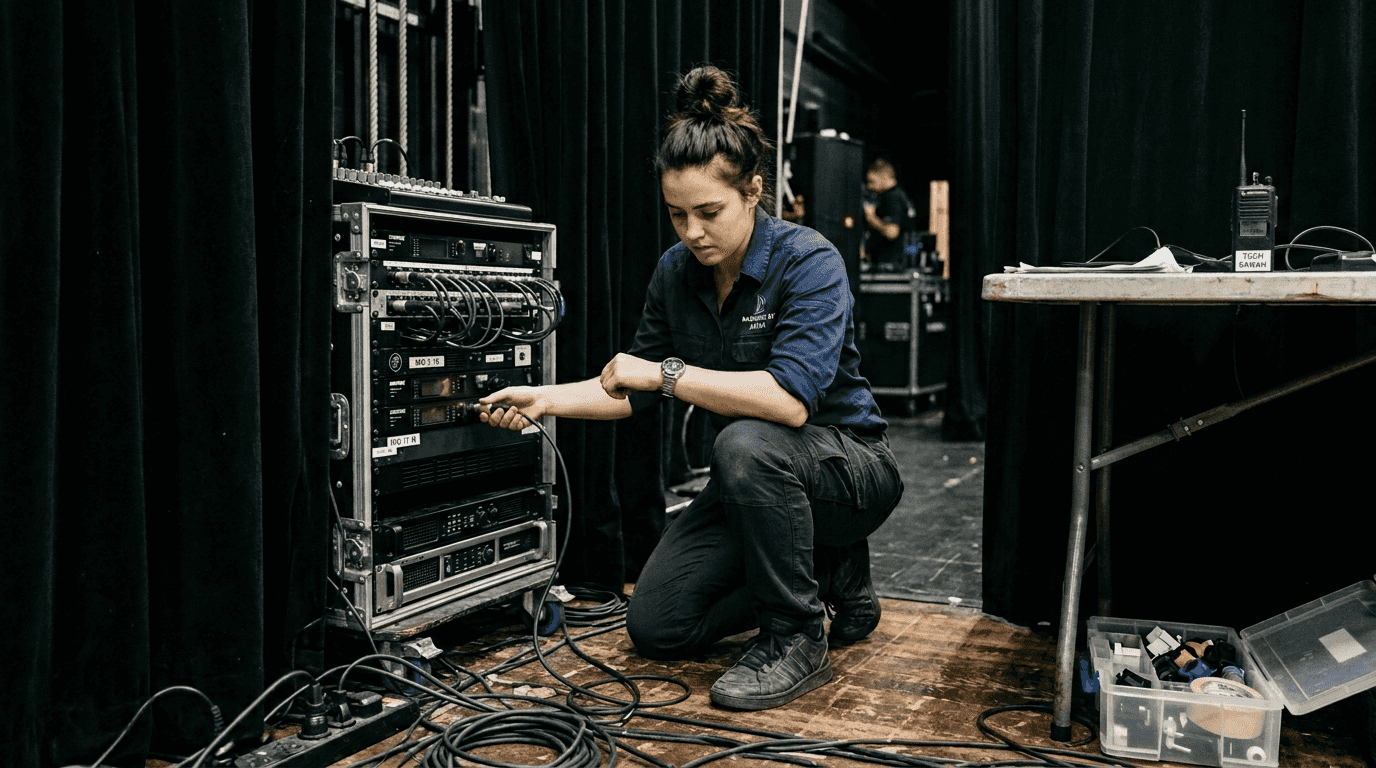
Power reliability deserves special attention. Uninterruptible power supplies protect sensitive equipment from voltage fluctuations and brief outages. For outdoor events or venues with questionable electrical service, portable generators provide independent power sources. Calculate total power requirements including safety margins, then specify generator capacity accordingly. Test generator operation before event day to verify proper function and fuel supply.
On-site technical support proves invaluable when problems arise. Events with comprehensive risk management plans experience 30% fewer technical failures; on-site technical support reduces downtime by 40%. Experienced technicians quickly diagnose issues, implement workarounds, and restore operation whilst minimising disruption. They understand system architecture and maintain composure under pressure, qualities essential for managing live event challenges.
Develop written contingency plans addressing common failure scenarios. Document step-by-step procedures for switching to backup equipment, rerouting signals around failed components, and communicating with event stakeholders during incidents. Distribute these plans to all technical team members and rehearse critical procedures. When everyone knows their role during emergencies, response becomes faster and more effective.
Pre-event testing catches issues before audiences arrive. Schedule adequate time for complete system checks, testing every input source, output device, and control function. Run through presentation content at actual event volume and brightness levels. Simulate worst-case scenarios like presenter laptop failures or network outages, verifying backup procedures work as planned. Experienced AV technicians conduct methodical testing that identifies potential problems whilst time remains for corrections.
Implement these risk mitigation strategies:
- Maintain backup equipment for all critical system components
- Deploy uninterruptible power supplies and backup generators
- Station experienced technicians on-site throughout events
- Create detailed contingency plans for common failure modes
- Conduct comprehensive pre-event testing and rehearsals
"The difference between good and great event AV lies not in preventing all problems, but in how quickly and professionally you respond when challenges arise. Preparation and expertise transform potential disasters into minor hiccups."
Delivering flawless AV event execution
Event day execution demands vigilance, communication, and adaptability. Your preparation pays dividends when you actively manage systems and respond to evolving requirements. Success depends on coordinated teamwork and proactive monitoring that catches issues before they impact attendees.
Establish clear roles and communication protocols among your AV team. Designate a technical director who coordinates all activities and serves as primary contact for event organisers. Assign specific responsibilities for audio, video, and lighting operation. Use wireless communication systems enabling team members to collaborate without disrupting presentations. Clear communication prevents confusion and enables rapid response to requests or problems.
Continuous monitoring maintains quality throughout events. Audio engineers listen for feedback, distortion, or imbalanced levels, making subtle adjustments that preserve clarity. Video operators watch for signal issues, colour problems, or framing errors, correcting them immediately. Lighting technicians ensure proper illumination for cameras and audience visibility whilst creating appropriate atmosphere. This active management prevents small issues from becoming noticeable problems.
Flexibility proves essential when handling unexpected changes. Presenters arrive with different equipment than specified. Timing runs ahead or behind schedule. Last-minute additions require quick system reconfiguration. Your ability to adapt smoothly determines whether these changes disrupt events or pass unnoticed. Maintain composure and focus on solutions rather than dwelling on deviations from plans.
Collaborate with venue staff and other event partners. Venue technicians understand building systems and can quickly address facility-related issues. Catering teams need coordination for meal service timing. Security personnel assist with crowd management affecting AV setup areas. Centrepiece's expert support and partnerships delivered a seamless multi-venue national conference with diverse technical requirements, demonstrating how collaboration enhances outcomes.
Align AV operation with event run sheets. Understand the programme flow, noting critical moments requiring special attention. Prepare lighting and video cues in advance. Coordinate with presenters about their technical needs and preferences. This preparation enables smooth transitions between segments and ensures technical elements support rather than distract from content.
Follow this execution checklist:
- Conduct final system checks before doors open
- Establish team communication and confirm role assignments
- Monitor all audio, video, and lighting feeds continuously
- Maintain backup equipment in ready standby status
- Coordinate with venue staff and event organisers
- Document any issues and solutions for post-event review
- Remain alert and ready to adapt throughout the event
Pro Tip: Keep a detailed log of timing, changes, and issues during events. This documentation helps you improve future planning and provides valuable insights when reviewing what worked well or needs adjustment.
Professional audio visual production services bring expertise and resources that elevate event execution. Their experience managing diverse events provides confidence that technical elements will perform flawlessly.
| Execution Phase | Key Activities | Success Indicators |
|---|---|---|
| Pre-show | System checks, team briefing | All systems operational, team ready |
| Live Event | Active monitoring, quick response | Smooth operation, minimal issues |
| Transitions | Coordinated changes, timing | Seamless segment changes |
| Post-event | Equipment strike, documentation | Efficient breakdown, lessons captured |
Expert AV management services for your next event
Mastering the AV event management process requires technical expertise, careful planning, and experienced execution. Whilst understanding these principles helps you make informed decisions, partnering with professional AV providers ensures your events achieve the highest standards. Specialist teams bring deep knowledge of conference AV systems and proven processes that deliver consistent results.
Professional audio visual management and equipment hire services handle every aspect of your event's technical requirements. From initial consultation through final breakdown, dedicated account managers coordinate planning, integration, and operation. They specify appropriate equipment, design efficient system architecture, and deploy experienced AV technicians who ensure flawless delivery. This comprehensive support lets you focus on event content and attendee experience whilst technical experts manage complex AV systems. Trust proven partners to transform your vision into memorable corporate events that achieve your objectives and impress attendees.
FAQ
What are the key steps in the AV event management process?
The process includes four essential steps: comprehensive needs assessment, systematic integration of audio visual components, proactive risk management with contingency planning, and active real-time monitoring during execution. Each step builds on the previous one, creating a framework that ensures technical success. Following this structured approach helps corporate event planners deliver professional conferences that meet objectives and provide positive attendee experiences.
How can corporate event planners avoid common AV integration issues?
Avoid integration problems by verifying all equipment compatibility before events and following proper signal flow sequences during setup. Use standardised protocols like Dante for audio networking and HDMI or SDI for video distribution. Engage experienced AV technicians who understand system architecture and can troubleshoot complex integrations quickly. Thorough pre-event testing identifies potential conflicts whilst time remains for corrections.
What role does risk management play in AV event success?
Risk management minimises technical failures and event disruptions through careful contingency planning and backup systems. Events with comprehensive risk plans experience significantly fewer technical problems and recover faster when issues occur. On-site technicians provide immediate response to unexpected challenges, reducing downtime and maintaining professional event flow. Proper risk management transforms potential disasters into minor inconveniences that attendees never notice.
Why integrate audio, video, and lighting systems in corporate events?
Integration creates operational efficiency and reduces technical problems by ensuring all components work together seamlessly. Centralised control simplifies operation, enabling faster responses to changing requirements. Integrated systems provide cohesive attendee experiences where technical elements support content rather than distract from it. Understanding different types of audio visual setups helps you select appropriate integration approaches for your specific event requirements.