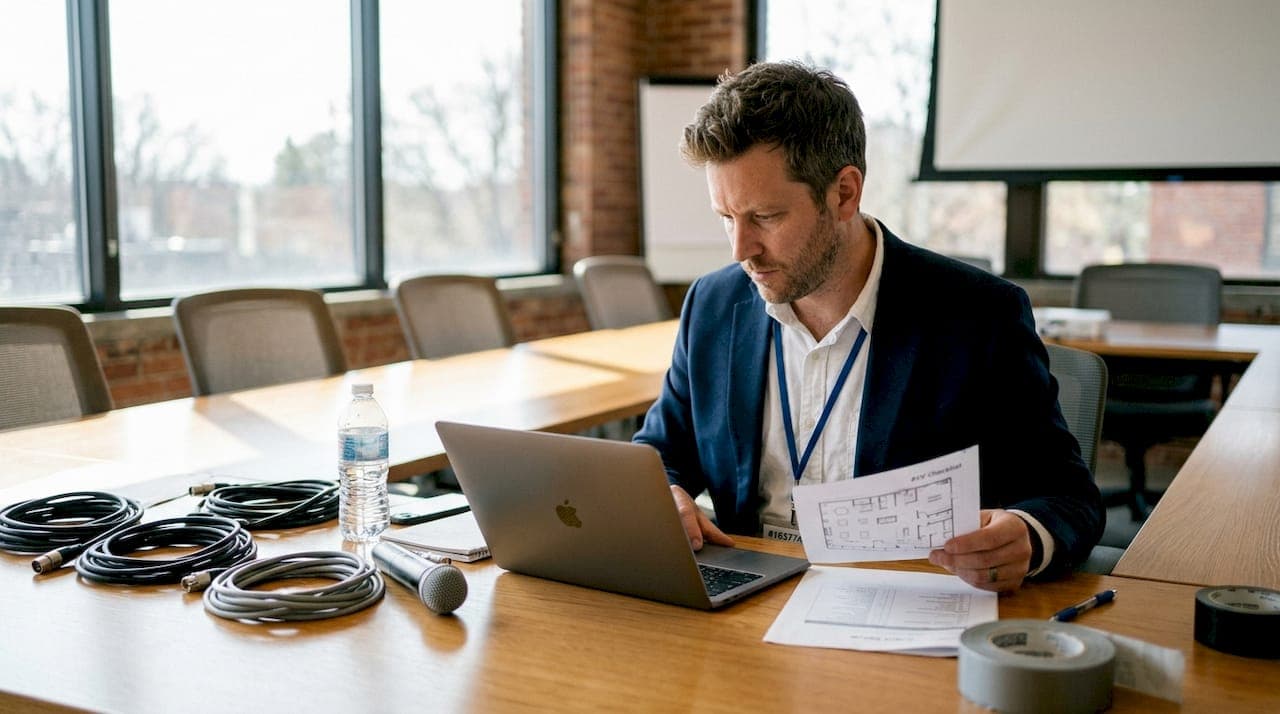
A single overlooked cable, a microphone that cuts out mid-presentation, or a projector that refuses to display the right resolution — these are the moments that define an event for all the wrong reasons. For corporate event planners across Australia, the pressure to deliver a seamless experience is real and constant. A structured audio visual checklist workflow is the difference between an event that runs like clockwork and one that leaves attendees frustrated. This guide walks you through every stage of that workflow, from initial planning through to post-event wrap-up, so you can approach each event with confidence.
Table of Contents
- Why every event needs an audio visual workflow
- What to prepare: the essential AV checklist items
- Step-by-step workflow: from planning to live event
- Solving common AV pitfalls: troubleshooting and contingencies
- Verifying success: post-event AV wrap-up and future planning
- Get professional support for your AV workflow
- Frequently asked questions
Key Takeaways
| Point | Details |
|---|---|
| Start early | Begin your AV checklist well before the event to avoid last-minute stress and oversights. |
| Assign clear roles | Ensure every team member knows their AV responsibilities so nothing falls through the cracks. |
| Use a detailed list | A thorough AV checklist prevents common failures and makes your workflow repeatable. |
| Plan for backups | Always include contingency plans for key AV risks to keep your event running smoothly. |
| Debrief post-event | Review and update your checklist after each event for continuous improvement. |
Why every event needs an audio visual workflow
An audio visual checklist workflow is a structured, repeatable process that guides your team through every AV-related task before, during, and after a corporate event. It covers equipment selection, installation, testing, and contingency planning. Without one, even experienced teams can miss critical details under the pressure of event day.
Missing AV details cause real disruptions. A presenter who cannot hear their own voice through the monitors loses confidence. An audience straining to read slides on a dim screen disengages quickly. These are not minor inconveniences — they directly affect the perceived professionalism of your organisation. A clear AV workflow minimises delays and technical errors at corporate events, keeping your programme on track.
The benefits of a solid workflow extend beyond the event itself. Teams communicate more clearly when responsibilities are documented. Costs reduce because equipment is ordered correctly the first time. Reliability improves because nothing is left to memory or assumption. If you are new to AV basics for events, understanding the fundamentals will help you build a checklist that actually works.
Common areas overlooked without a checklist include:
- Power distribution and surge protection
- Cable management and labelling
- Backup microphones and spare batteries
- Signal flow from source to display
- Venue-specific acoustic considerations
- Presenter briefings on AV cues
Familiarising yourself with the range of audio visual setup types available for corporate events will also help you tailor your checklist to the specific demands of each venue and format.
"A well-structured AV workflow is not just a safety net — it is the foundation of every successful corporate event."
What to prepare: the essential AV checklist items
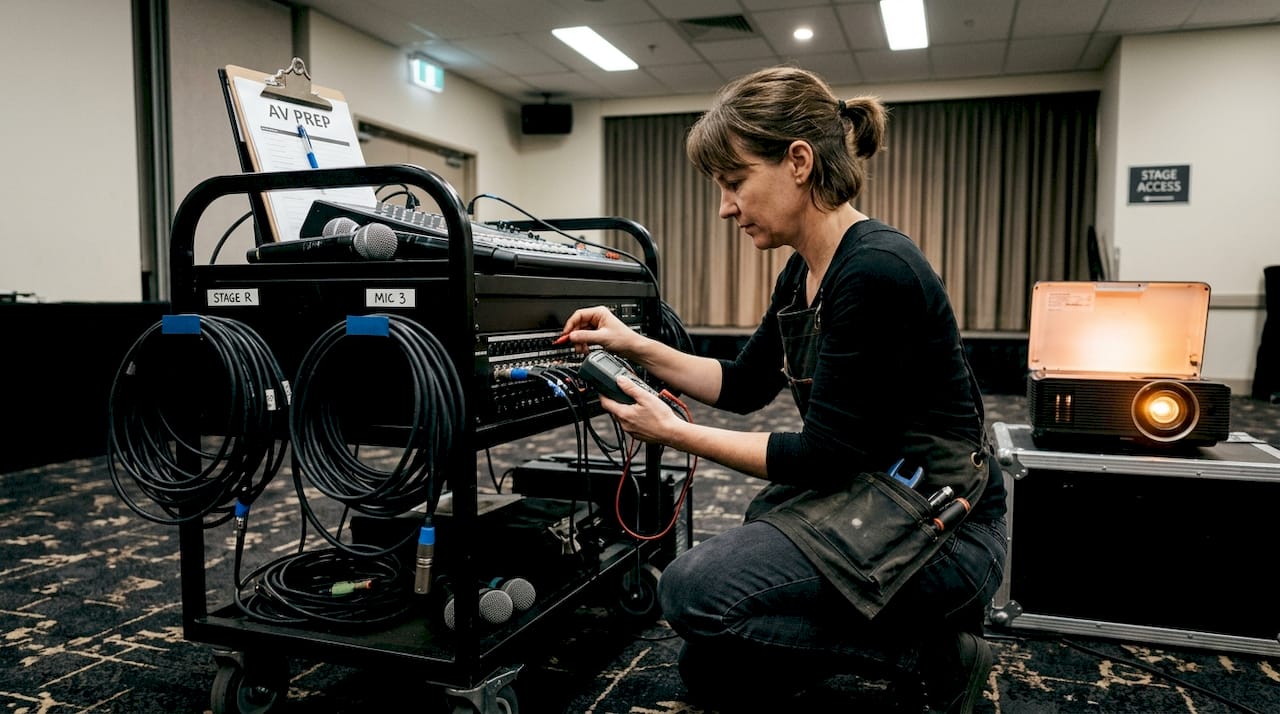
A good AV checklist covers equipment, set-up, and contingency planning. Before you set foot in the venue, your checklist should already be populated with every item your event requires. This is not the time for guesswork.
Core equipment categories to include:
- Sound: Microphones (handheld, lapel, podium), mixing desk, speakers, monitors, amplifiers
- Visuals: Projectors or LED screens, media players, laptops, HDMI and adaptor cables
- Lighting: Stage wash, spotlights, ambient lighting, dimmers
- Power: Distribution boards, extension leads, surge protectors, UPS units
- Backups: Spare microphones, cables, batteries, and a secondary laptop loaded with all presentations
- Communication: Two-way radios for crew, cue sheets for technicians and presenters
For each item, validate compatibility between devices, confirm cable lengths reach their destinations, and check that all equipment is positioned safely and accessibly. Reviewing understanding AV equipment in detail will help you ask the right questions when sourcing gear.
| Item | Detail | Ready? |
|---|---|---|
| Microphones | Type confirmed, batteries fresh, tested | ☐ |
| Projector or screen | Resolution set, aspect ratio correct | ☐ |
| Mixing desk | Channels labelled, levels set | ☐ |
| Cabling | All runs tested, no signal loss | ☐ |
| Backup equipment | Spares on-site and accessible | ☐ |
| Power supply | Distribution confirmed, surge protection in place | ☐ |
| Communication tools | Radios charged, cue sheets distributed | ☐ |
Pro Tip: Start populating your checklist as soon as the event brief is confirmed. Update it after every site visit and supplier conversation. A checklist that evolves with the event is far more useful than one written the week before.
Step-by-step workflow: from planning to live event
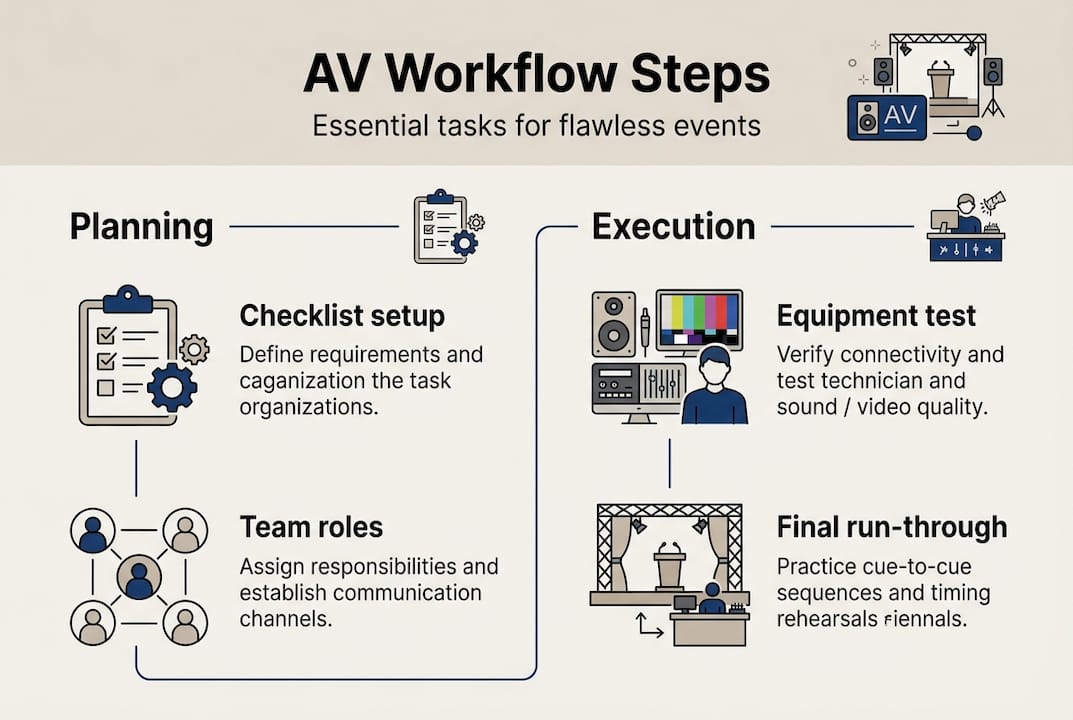
Clear steps streamline AV efforts and keep the team aligned throughout the entire event lifecycle. Here is a practical, numbered workflow you can apply to every corporate event.
- Initial planning: Define AV requirements based on the event brief. Confirm audience size, venue type, and programme format.
- Site reconnaissance: Visit the venue to assess power points, ceiling height, sightlines, acoustics, and existing AV infrastructure.
- Equipment sourcing and scheduling: Confirm all equipment with your AV supplier. Lock in delivery and set-up times.
- Installation: Rig lighting, run cables, position speakers and screens. Follow your checklist item by item.
- Testing: Test every signal path. Check audio levels, visual clarity, and lighting cues. Do not skip this stage.
- Rehearsal: Run through the programme with presenters. Confirm all AV cues, transitions, and timing.
- Event day: Monitor all systems throughout. Have a technician on standby for immediate response.
- Pack-down: Systematically remove and check all equipment. Record any damage or issues immediately.
For a deeper look at managing this process end to end, the event AV workflow process guide is an excellent resource.
| Stage | Planner | AV technician | Venue liaison |
|---|---|---|---|
| Planning | Defines brief | Advises on requirements | Confirms venue specs |
| Site recce | Attends and notes | Assesses technical needs | Provides access |
| Installation | Oversees timeline | Executes set-up | Coordinates access |
| Testing | Reviews output | Runs all checks | Available for queries |
| Event day | Manages programme | Monitors and responds | On-site support |
| Pack-down | Signs off | Checks equipment | Confirms venue clear |
For guidance on coordinating AV equipment across multiple suppliers and venues, we recommend reviewing dedicated coordination resources.
Pro Tip: Assign every checklist item to a named person. When responsibilities are shared without clear ownership, tasks fall through the gaps. Named accountability keeps your workflow tight.
Solving common AV pitfalls: troubleshooting and contingencies
Even with a thorough checklist, unexpected issues arise. The goal is not to eliminate every possible problem — it is to respond quickly and calmly when one occurs. Having backup AV plans prevents last-minute disruptions from derailing your event.
Common AV problems and practical solutions:
- Microphone feedback: Reposition the microphone away from speakers. Lower the gain on the mixing desk. Use a directional microphone if the room is problematic.
- Visual dropout or no signal: Check all cable connections first. Confirm the correct input source is selected on the display. Switch to the backup laptop if needed.
- Power outage: Activate UPS units immediately. Have a venue contact on speed dial for building power issues. Keep a torch on-site.
- Late equipment delivery: Always confirm delivery times 48 hours in advance. Have a contingency supplier identified before the event.
- Presenter technical issues: Brief all presenters on AV cues before the event. Provide a simple one-page guide for connecting their devices.
For a thorough audio troubleshooting guide, reviewing audio-specific resources will help you build resilience into your checklist from the start.
"The best contingency plan is one that is already written down, assigned, and rehearsed before the event begins."
Pro Tip: Schedule a final run-through no less than two hours before doors open. This gives your team time to identify and resolve any last-minute issues without the pressure of a live audience.
Verifying success: post-event AV wrap-up and future planning
Post-event debriefs help AV teams improve for future events. Once the last guest leaves, resist the urge to pack up and move on immediately. The wrap-up stage is where your checklist becomes a learning tool.
Essential post-event wrap-up actions:
- Equipment inspection: Check all items for damage before they leave the venue. Document any faults immediately.
- Team debrief: Gather your AV team and venue staff for a brief conversation. What worked well? What caused delays or stress?
- Issue recording: Log every technical problem that occurred, no matter how minor. Include the cause and the solution applied.
- Feedback collection: Gather input from presenters and key stakeholders on their AV experience. Their perspective often reveals issues the technical team did not notice.
- Checklist update: Revise your master checklist based on everything you have learned. Add new items, remove redundancies, and adjust timings.
- Supplier review: Assess the performance of every AV supplier involved. Note any delivery, quality, or communication issues for future reference.
For AV technician post-event tips that go beyond the basics, reviewing specialist resources will help your team build a culture of continuous improvement. Every event is an opportunity to make the next one better.
Get professional support for your AV workflow
Building and maintaining a reliable AV checklist workflow takes time, expertise, and the right partners. For complex corporate events, working with a specialist AV provider means you have experienced professionals managing every stage of the process alongside you.
At Conference Audio Visual, we offer expert AV solutions tailored to the specific demands of Australian corporate events. From initial planning through to post-event wrap-up, our team provides dedicated support, state-of-the-art equipment, and the kind of hands-on coordination that keeps your event running smoothly. If you want to go deeper on preparation, our in-depth AV coordination tips are a practical next step. Ready to talk through your next event? The Conference Audio Visual team is here to help you build a workflow that works every time.
Frequently asked questions
What is an audio visual checklist?
An audio visual checklist is a structured list of all AV tasks and equipment to confirm before, during, and after your event, ensuring nothing is missed and execution remains seamless from start to finish.
Who should be involved in the AV workflow?
Event planners, AV technicians, venue staff, and presenters each play a distinct role. Both planners and technicians are essential to keeping the workflow coordinated and on schedule.
When should AV checklist planning begin?
Start your checklist during the initial event scoping phase and update it continuously as venue details, equipment, and programme elements are confirmed.
What are the most common AV mistakes to avoid?
Typical mistakes include last-minute equipment setups, skipping sound checks, and failing to prepare backup plans. Backup and advance checks are the most effective way to prevent disruption on event day.